Page 1 of 1
Crosshairs for each weapon/tool
Posted: Sun Oct 05, 2014 2:53 am
by bloodfox
So here it is:
Download:
https://mega.co.nz/#!iwkDWBoa!ke10eReoD ... hSAolPPEyU
How does it work:
Well, here is what happens, I rigged the scripts so that they load a different crosshair per tool/weapon without getting out of the launcher and changing it.
How to install it:
Put the scripts in the Baseskin.pak folder. Then, put the Gfx folder in the base.pak. Done!
Get your game on!


Re: Crosshairs for each weapon/tool
Posted: Sun Oct 05, 2014 3:18 am
by Lea_on_a_tree
They are all good accept grenade and shotgun I don"t like them.
Re: Crosshairs for each weapon/tool
Posted: Sun Oct 05, 2014 2:08 pm
by bloodfox
So what do you suggest I change them to? I agree, I don't really like the shotgun crosshair. But I need you to tell me what I should change it to.
Re: Crosshairs for each weapon/tool
Posted: Sun Oct 05, 2014 2:50 pm
by MrHaaax
The shotgun's should be a white/red circle instead, while the grenade.. maybe a white rangefinder:
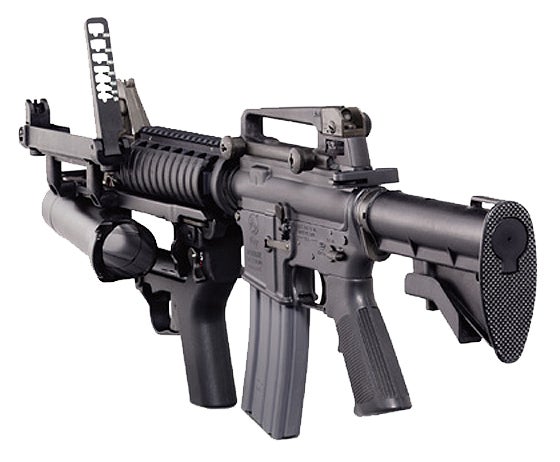
Like this one.
Also, red or white for everything else, for the sake of night usage.
Nice job anyhow!
Re: Crosshairs for each weapon/tool
Posted: Sun Oct 05, 2014 7:44 pm
by bloodfox
MrHaaax wrote:The shotgun's should be a white/red circle instead, while the grenade.. maybe a white rangefinder:
Like this one.
Also, red or white for everything else, for the sake of night usage.
Nice job anyhow!
Thanks man! *crying of happiness* And yes, I will get to work on them ASAP. But what do you mean "range finder"?
Re: Crosshairs for each weapon/tool
Posted: Wed Oct 15, 2014 9:09 pm
by Lea_on_a_tree
range Finder is like a scope for grenade launchers and what not.
It has lines- the top one would be for lets say 10 feet away then the next one down would be for 20, then 30, then 40, or what ever range and unit of measurement you want to use. So if the target was 30 feet away you would want to aim at it with the 3rd line down and shoot, or in this case, throw. But again it can be ANY RANGE AND ANY UNIT OF MEASUREMENT.
But in the case of ace of spades you don't need to make any numbers or units of measurements, just make evenly spaced lines with the first one at the center of the screen and work your way down and make about 5 or 6 of them. ( I would say make them about 1 or 1 1/2 inches long or a couple of centimeters.
Re: Crosshairs for each weapon/tool
Posted: Wed Oct 15, 2014 9:36 pm
by bloodfox
FYI, remember that the crosshair files are limited to a certain pixel size. In OS: it is 64 by 64 pixels.
Re: Crosshairs for each weapon/tool
Posted: Sat Oct 18, 2014 2:40 am
by MrHaaax
Hm, about the rangefinder, something like this:
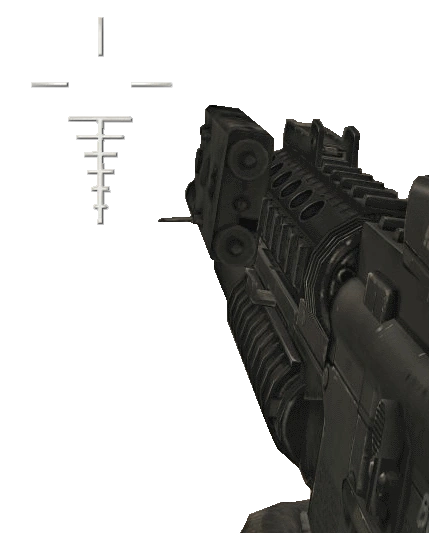
Obviously scaled to allowed sizes.
Re: Crosshairs for each weapon/tool
Posted: Mon Oct 20, 2014 7:27 pm
by bloodfox
Well, that rangefinder will actually work! I can actually scale the crosshair to be bigger! Here comes that rangefinder! I recommend using that crosshairs for individual tools to come with this btw... And, it will be released in my armory!


